
Prepware Private Pilot
Aviation Supplies & AcademicsEducation
3.8109.00 Reviews
- Version
- 1.37.2
- Installs
- 10.00K
- Age Rating
- Everyone
Screenshots
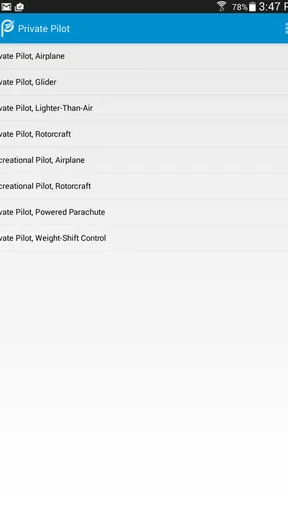
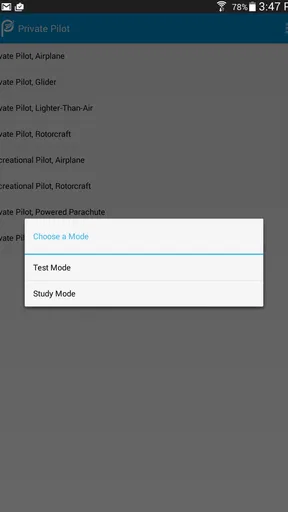
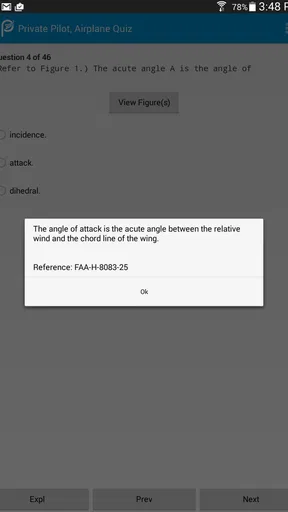
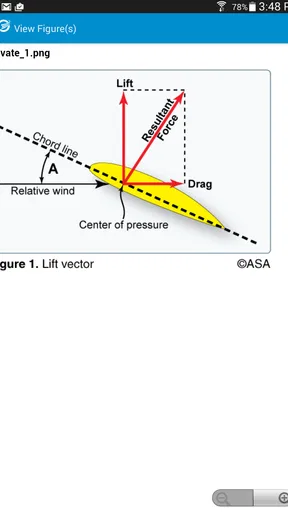
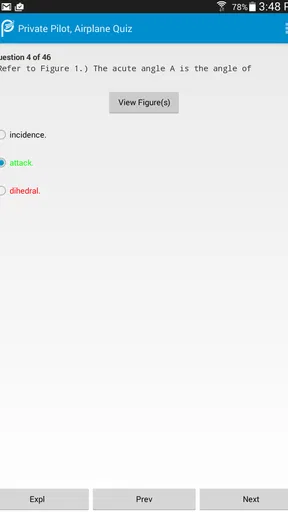
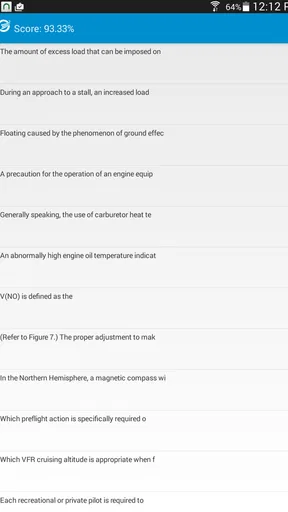
Our Review of Prepware Private Pilot
 Analysis by Appyee
When study time happens at a shared kitchen table, a phone can be more than a personal screen: it can become the quickest way for a student pilot to fit exam practice between dinner and the next day’s plans. I see Prepware Private Pilot as a focused study aid for that kind of short, purposeful session, rather than an all-purpose aviation course. It is an education app from Aviation Supplies & Academics, intended for FAA knowledge-exam preparation. Its $9.99 price makes it a considered purchase, so I would want a learner to know what role it can—and cannot—play before adding it to a household’s study routine.
A shared device can support a focused routine
Imagine a student pilot using a family tablet for a brief review after work, then handing it back before someone else needs it. The useful part of a question-based study tool is that the learner can spend a small block of time practicing a specific subject instead of finding a book, locating a page, and deciding what to review. That does not mean every person in the home should use the same study history. If more than one learner takes turns, I would agree in advance who is studying and avoid treating one person’s results as another person’s progress.
For a learner who has already covered material with an instructor or textbook, a short question session can help reveal which topics deserve another look. I would use it as a check on understanding, not as proof that a subject is mastered just because a familiar question gets the right answer. On a shared screen, it also helps to keep the session deliberate: one person, one study goal, then stop. That makes it easier to pick up a separate task later without confusing casual browsing with exam preparation.
Set expectations before paying or sharing
The app costs $9.99, so I would first ask whether the intended user is actively preparing for a private-pilot knowledge exam. It is a much easier purchase to justify for someone who will return to exam practice regularly than for a family member who is only curious about aviation. The age rating is Everyone, but that is a content classification, not a sign that the material is designed as a children’s learning activity. The subject matter and study purpose are aimed at people working toward aviation knowledge, and younger users may need an adult to help place the material in context.
It is also worth agreeing on what “sharing” means. Passing a device between people is not the same as having separate learner records or a household management system. I would not assume that one person’s study preferences, marked questions, or performance can be cleanly separated from another’s. Before using it on a shared device, decide whether a single learner will use the app or whether everyone is comfortable with the practical limits of sharing one study space. That small conversation can prevent crossed signals about who has completed what.
Coordinate study without turning scores into a verdict
For a student pilot, the most useful coordination is usually simple: choose a topic, agree on a manageable study window, and talk afterward about what felt uncertain. A family member can help protect that time without interpreting a score as a measure of aptitude. FAA knowledge preparation involves concepts that can take repeated exposure, and a missed question can point to a gap in understanding rather than a lack of ability. I would use the app’s practice as a prompt for a conversation with an instructor or a return to the relevant learning material.
One practical routine is to let the learner choose a weak area before opening the app, then write down or remember the underlying concept that caused trouble rather than only the answer. That is a better use of a shared screen than having another person quiz the student from memory or compare results between sessions. It keeps responsibility with the learner and makes any help from family supportive rather than supervisory. If the study device is needed for other household tasks, a clear stopping point also avoids the app becoming a source of friction.
Who will get the most from it?
I would recommend this kind of focused tool to a private-pilot student who wants structured exam practice alongside instruction and broader study materials. It can also suit someone who learns well by answering questions, reviewing mistakes, and returning to troublesome topics. The app has an average rating of 3.8 from around 235 ratings, with more than 100 written reviews and over 10,000 installs. Those figures suggest an established audience, but they do not tell me whether its question style or study approach will suit a particular learner.
I would steer away from it if someone expects a complete flight-training course, a substitute for an instructor, or an audiovisual introduction to aviation. A person who needs diagrams, demonstrations, or guided explanations as the main way to learn may be better served by pairing question practice with materials that teach concepts visually. Likewise, a casual aviation fan who has no exam to prepare for may get little lasting value from paying for a tool built around test study. The right choice depends less on how much content an app appears to contain and more on whether the learner will use question practice to uncover and repair gaps.
How it fits beside books and other study options
Compared with a paper question book, a phone-based practice routine is easier to fit into a spare moment and can make it simpler to return to questions that need attention. Compared with a general online search, a dedicated FAA exam-prep app gives the study session a narrower purpose. But neither format automatically teaches sound judgment: recognizing a correct answer is not the same as being able to explain why it is correct or apply the idea to a new situation.
My preferred approach would be to use this app for targeted recall, then check weak concepts against a trusted course resource and discuss uncertainties with an instructor. A question bank is strongest when it tells you where to investigate next; it is weaker when a learner treats repeated exposure as the whole lesson. This distinction matters especially for weather, regulations, and navigation, where an isolated answer can be easy to memorize while the reasoning behind it still needs work. If you are choosing between this and a more comprehensive instructional course, choose the course when you need concepts taught from the ground up, and choose this style of app when you need a convenient way to practice and assess exam readiness.
What to expect from its age and version
The app was released on April 29, 2011, and its current version is 1.37.2, with a minimum operating-system requirement of 5.1. That long-running history may reassure a learner who wants a dedicated exam-prep product rather than a newly launched general study app, but age alone does not establish how well it fits a particular phone or tablet. I would check that the device meets the requirement and try a short session before relying on it for a time-sensitive study plan. This is especially sensible when a household device is older or shared among people who use different apps and settings.
I would also avoid assuming that a learner’s convenience needs match everyone else’s. A student who wants to study away from a desk may value a phone format; someone who needs a large display for diagrams or prefers to take handwritten notes may find a book or tablet-based course more comfortable. The practical test is whether the learner can read, concentrate, and review errors on the device they actually intend to use. That is a more useful check than choosing based on the app’s age or the number of people who have installed it.
First Impressions and Usability
Right off the bat, Prepware Private Pilot greets you with a clean and intuitive interface. You don’t need to be a tech wizard to navigate through it. Everything is neatly organized, making it easy for you to dive straight into the content. The app covers a broad range of topics, from regulations to weather, aerodynamics, and navigation. It’s almost like a comprehensive textbook, but way more interactive and engaging.
Comprehensive Content
One of the standout features is the depth of content available. The app boasts a hefty collection of questions, each designed to mimic what you might encounter in the actual FAA exam. They’re regularly updated too, ensuring you’re not blindsided by any curveballs come exam day. I found this particularly reassuring – knowing that the app evolves with the current standards gives you peace of mind as you study.
But it’s not just about rote memorization. The explanations accompanying each question are detailed, breaking down complex concepts into digestible chunks. This not only helps reinforce your understanding but also boosts your confidence in tackling similar questions in the future.
User-Friendly Features
Now, let’s talk about some of the nifty features that make this app a pleasure to use. There’s a customizable study mode, allowing you to focus on specific areas where you need improvement. You can track your progress with ease, which is crucial for keeping you motivated and on track. I personally loved the ability to flag tricky questions and revisit them later. It’s like having your own personalized study guide.
The app’s performance tracker is another gem. It provides insights into your strengths and weaknesses, helping you tailor your study sessions more effectively. Plus, the ability to take practice exams under timed conditions is a fantastic way to simulate the real test environment. This practice makes perfect approach really helps to alleviate exam day jitters.
Room for Improvement
No app is without its quirks, and while Prepware Private Pilot is pretty solid, there are a few areas that could use a bit of polishing. For instance, while the app is packed with information, a few more interactive elements like videos or animations could enhance the learning experience even further. These would be great for visual learners who might struggle with text-heavy content.
Additionally, the app’s load time can be a bit sluggish on older devices. It’s not a dealbreaker, but it’s worth mentioning for those using less up-to-date tech. A little optimization here could go a long way.
The Final Verdict
All things considered, Prepware Private Pilot is a powerhouse of an app for anyone serious about earning their wings. It’s comprehensive, easy to use, and offers a level of customization that caters to individual learning styles. While there’s room for a couple of improvements, the benefits far outweigh any minor hiccups.
If you’re gearing up for your private pilot exam and seeking a resource that’s both reliable and effective, this app is definitely worth checking out. It’s like having a co-pilot who’s always ready to help you navigate the skies of knowledge. So, buckle up and get ready to soar!
Verdict
Strengths of Prepware Private Pilot
- Comprehensive question database.
- User-friendly interface design.
- Offline access available.
- Regular content updates.
- Detailed explanations provided.
Limitations of Prepware Private Pilot
- Limited to private pilot content.
- No interactive simulation features.
- Requires in-app purchases.
- Occasional loading delays.
- Not available in multiple languages.
Other Releases by Aviation Supplies & Academics
View All
Prepware Powerplant FAA Tests
Education3.7

Prepware General FAA Tests
Education4.1

FAR/AIM by ASA
Education3.8

Prepware Remote Pilot UAS
Education4.3
Similar Picks in This Category
View All
Duolingo: Language Lessons
Duolingo4.7

Google Classroom
Google LLC2.8

Unacademy: Learn & Crack Exams
Unacademy3.2

Bible App for Kids
Life.Church4.4

Cake - Learn English & Korean
Cake Corp.4.7

Brainly: AI Homework Helper
Brainly4.5
Frequently Asked Questions
What is Prepware Private Pilot and how does it benefit aspiring pilots?
Prepware Private Pilot is a comprehensive study tool designed to help aspiring pilots prepare for the FAA Private Pilot Knowledge Exam. It offers a wide range of practice questions, detailed explanations, and up-to-date content based on current FAA standards. This app is beneficial because it provides users with the ability to study anytime, anywhere, ensuring a thorough understanding of key aviation concepts.
Does Prepware Private Pilot require an internet connection to function?
Prepware Private Pilot primarily functions offline, allowing users to study without the need for an internet connection. However, periodic updates may require an internet connection to download the latest content and ensure that users have access to the most current and accurate information available.
Is the content in Prepware Private Pilot updated regularly?
Yes, the content in Prepware Private Pilot is updated regularly to reflect the latest FAA regulations and standards. The developers ensure that users have access to the most current information, which is crucial for effective exam preparation. Users can expect periodic updates to maintain the accuracy and relevance of the app's study materials.
Can users track their progress and performance in Prepware Private Pilot?
Absolutely. Prepware Private Pilot includes features that allow users to track their progress and performance over time. Users can review their scores, identify areas that need improvement, and focus their studies accordingly. This personalized feedback is instrumental in helping users target their weaknesses and improve their chances of passing the FAA exam.
Is Prepware Private Pilot suitable for beginners with no prior aviation knowledge?
While Prepware Private Pilot is designed for those preparing for the FAA Private Pilot Knowledge Exam, it can also be useful for beginners. The app provides detailed explanations and covers foundational aviation concepts, making it accessible for users with varying levels of experience. However, complete newcomers may benefit from supplementary resources or instruction to fully grasp the material.
